Configuration
In the options of QGIS
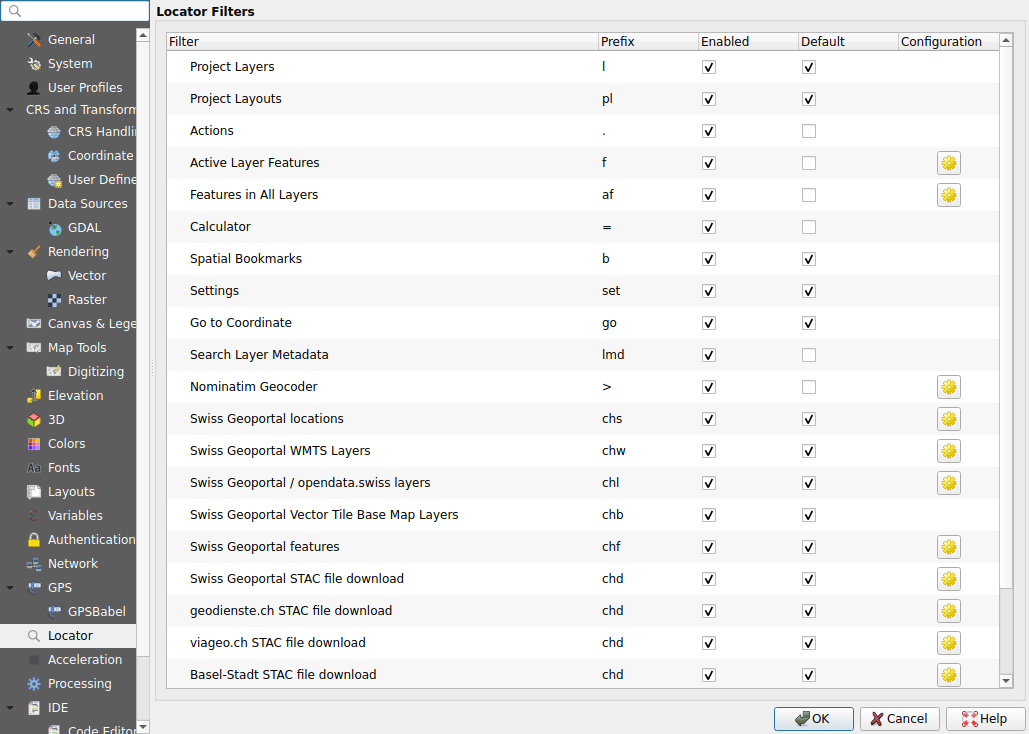
Open Settings ▸ Options ▸ Locator. Each search of the plugin is listed, with its prefix:
- Enabled: uncheck it to turn the search off;
- Default: when checked, the search runs without its prefix;
- Prefix: can be changed;
- the button on the right opens the configuration of the plugin (the base maps have none).
Downloading data has one search per catalogue, with the same prefix: Swiss Geoportal STAC file download, plus geodienste.ch STAC file download, viageo.ch STAC file download and Basel-Stadt STAC file download for the local catalogues chosen.
In the plugin
The configuration of the plugin opens from the button of a search in the options above.
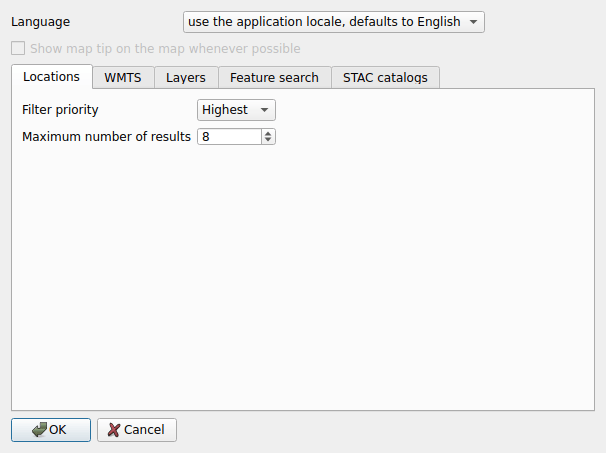
- Language
- The language of the results. By default, that of QGIS when the geoportal speaks it, English otherwise.
- Show map tip on the map whenever possible
- Shows the information of map.geo.admin.ch on a place or a feature, in a bubble over the map. It needs the QtWebKit library, which QGIS 4 does not have: the option is then greyed out.
Each search, but the base maps, has its tab:
- Filter priority
- The order of the results of the searches in the locator bar.
- Maximum number of results
- How many results the search lists.
- Include data from opendata.swiss (WMS layers)
- Also search the layers of the services referenced by opendata.swiss.
- Maximum number of files per result (downloading data)
- A dataset with more files than this opens the filter panel instead.
- Local data catalogs (downloading data)
- The catalogues searched on top of that of the geoportal: geodienste.ch, for the data of the cantons, viageo.ch, for the canton of Vaud and its municipalities, and Basel-Stadt. The plugin asks at its first launch; geodienste.ch is on by default.
| Search | Priority | Results |
|---|---|---|
| Locations | highest | 8 |
| WMS layers | high | 5 |
| WMTS layers | medium | 8 |
| Features | high | 8 |
| Downloading data | low | 5 per catalogue, and 5 files per result |
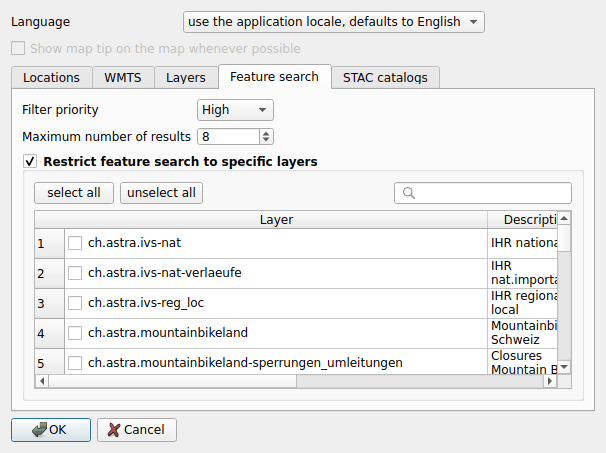
Feature search
By default, the feature search covers all the layers of the geoportal whose features can be searched. Check Restrict feature search to specific layers and pick the layers to search: the search box filters the list.